Mercury Vessel View on Raymarine, Lowrance & Simrad MFDs
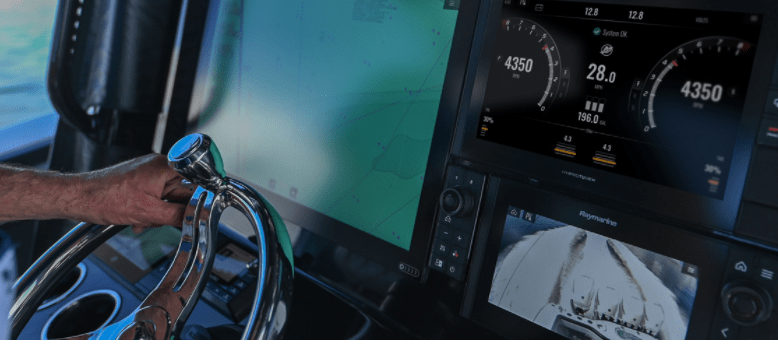
Thanks to Mercury Vessel View, you can now monitor up to four engines from your Raymarine, Lowrance or Simrad MFDs.
Mercury Marine has recently launched SmartCraft Connect with Vessel View, which allows boaters to use their Raymarine, Simrad and Lowrance MFDs to access detailed information about their SmartCraft compatible marine engines.
Mercury Vessel View has allowed boaters to receive advanced engine monitoring and alerts for years now. The system provides up-to-the-second information on dozens of engine diagnostics, including RPM, fuel flow and management, critical temperature readings, speed, and engine trim, on up to four engines at the same time.
“Our VesselView portfolio continues to perform exceptionally well in the market as we continue to strengthen our integration with Lowrance and Simrad displays. With the launch of SmartCraft Connect, we are responding to the needs of our boating community and expanding the Mercury experience to Garmin and Raymarine devices,” said Rob Hackbarth, SmartCraft product category director.
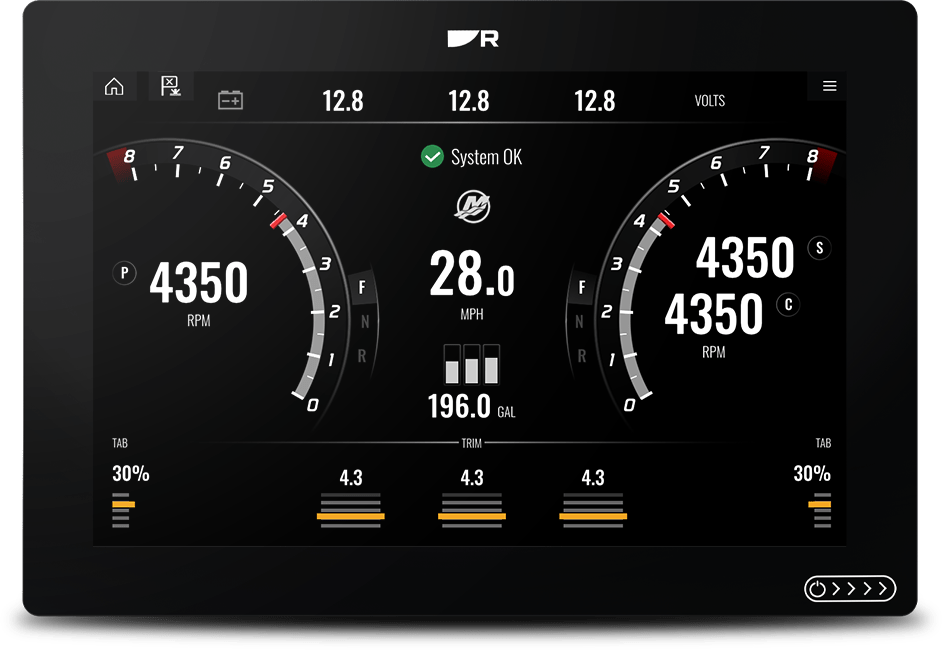
Which Simrad and Lowrance MFDs come with Mercury Vessel View?
Vessel View has been available on Simrad MFDs since the Simrad 3 update, integrating seamlessly into Simrad NSS evo2 and NSO evo2; Simrad NSS evo3 & NSO evo3 and GO series. It also comes included in the following Lowrance MFDs: Lowrance HDS Gen2 Touch, HDS Gen3, HDS Carbon and Elites Ti (7″ or larger).
“We’re delighted to be partnering with Mercury to provide seamless access to Mercury’s VesselView technology through Raymarine’s line of Axiom MFDs”, said Gregoire Outters, general manager for the Raymarine brand at FLIR. “This deeper integration lets boaters easily monitor and control key engine functions directly from their Axiom displays and is now available free by downloading our latest LightHouse software.”
The SmartCraft Vessel View is not just helpful for boat owners, but for boat builders and installers, who can create a fully integrated navigation and engine helm solution around a single Raymarine Axiom MFD or display network of multiple Axioms.
Mercury SmartCraft Vessel View Integration with Raymarine Axiom MFDs
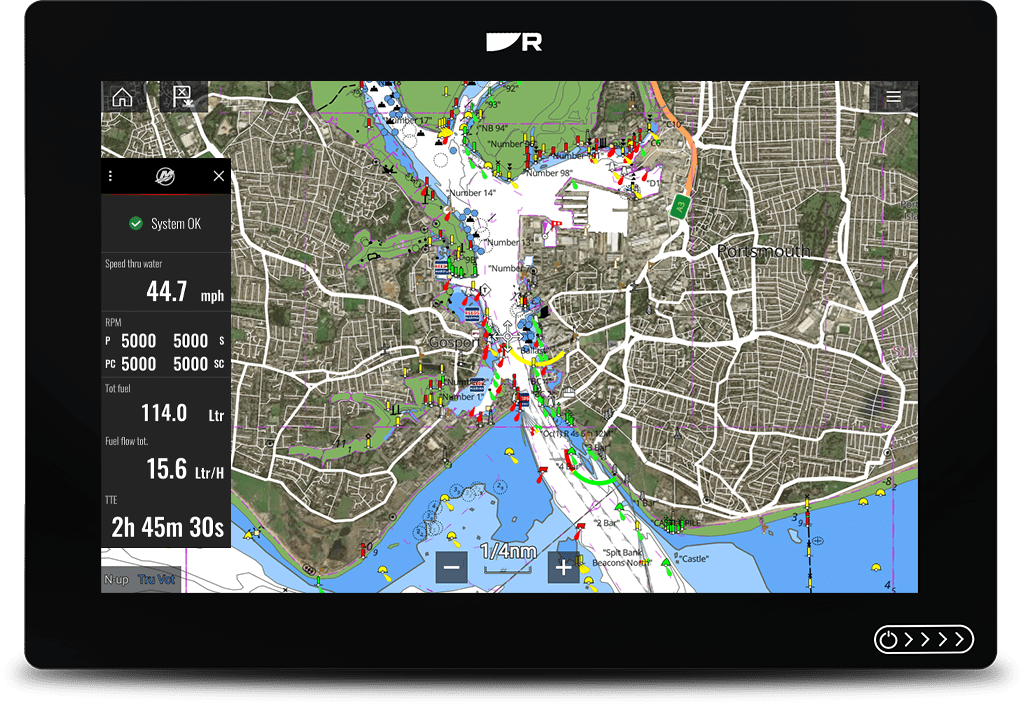
Which Raymarine MFDs come with Vessel View?
The new SmartCraft gateway delivers Mercury Marine’s engine information display to any Raymarine Axiom, Axiom Plus, Axiom Pro, and Axiom XL MFDs. Just connect the SmartCraft gateway via NMEA 2000 to access all vital engine performance data and alerts for up to four SmartCraft-compatible gas or diesel Mercury engines.
Mercury Vessel View for Raymarine MFDs is accessible through a new Vessel View app that will be located on your Raymarine Axiom MFD home screen. You can access VesselView data in the chartplotter, sonar, and radar apps through a slide-out sidebar display. VesselView alerts are available system-wide across every Axiom display in a Raymarine network. Just make sure to have your LightHouse 3 OS updated to the latest version (3.14 or higher).
Vessel View keeps track of everything, so you can keep track of more important things – like the fish.
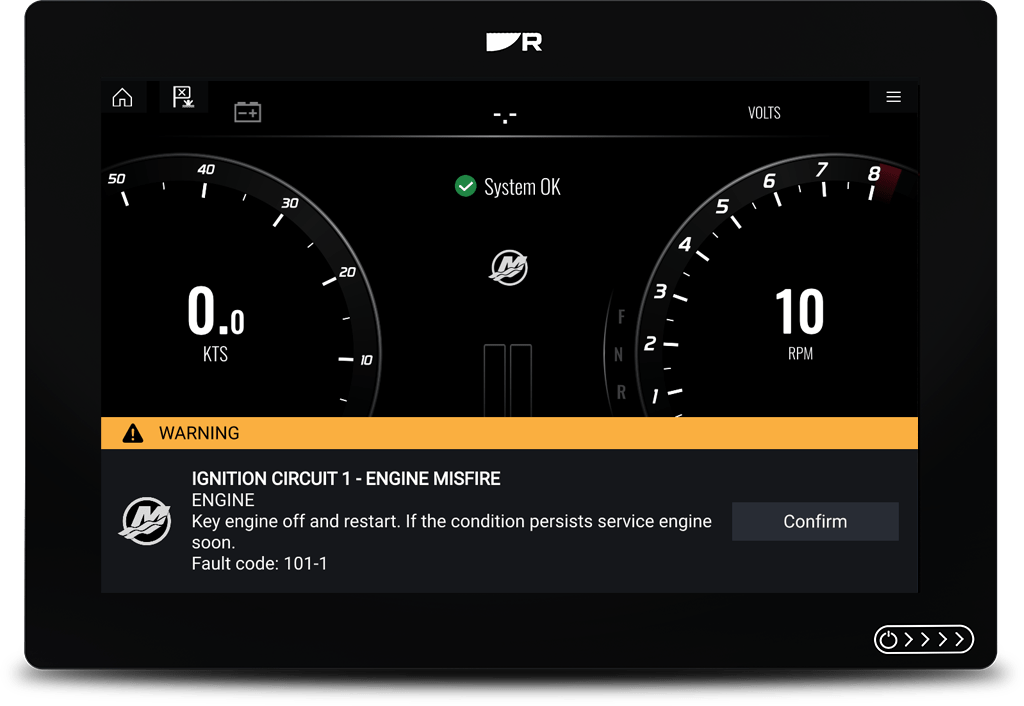
Alerts
About Mercury Marine

With headquarters in Fond du Lack, Wisconsin, Mercury Marine is the world’s leading manufacturer of recreational marine propulsion engines, and also provides engines, boats and parts for commercial and governmental applications. Mercury’s full line of products includes outboard engines, sterndrive and inboard packages, propellers, inflatable boats, SmartCraft electronics, parts and oils.
For more on information on marine electronics that will work with Mercury Vessel View, we can help. Just chat with us below or contact us here!
Have a good one!

Citimarine Store
3300 NW 112th Ave, #4
Doral, FL 33172
1-(800)-766-5256
CitimarineStore.com
–
Related:







2 Comments
We have been unable to successfully get fuel tank readings on our vessel view system. We have a 2024 Mercury 115 on a Stabicraft equipped with Simrad NSX . Even though wed have filled the tanks our fuel levels fluctuate between zero and a low number of litres far less than is actually in the tank. We get low fuel level alarms. Is there a step by step setup instruction that will help us troubleshoot and get our fuel tank readings properly reporting.
Hi Kevin,
What you’re describing usually points to either:
the fuel tank sender not being properly configured in the NMEA 2000 / SmartCraft network, or
the Simrad pulling fuel data from the wrong source.
A few things to check:
1. Verify the tank setup in VesselView / Simrad
Go into the Mercury or VesselView setup menus on the NSX and confirm:
Tank type is set to Fuel
The correct tank capacity has been entered
The fuel tank instance is assigned correctly
2. Check the fuel data source
On Simrad systems, fuel gauges can sometimes default to “Auto” data source selection, which may pull incorrect or empty data from the network.
Go into:
Settings → Network → Data Sources → Fuel Level
Then manually select the Mercury / VesselView gateway or the correct tank instance instead of Auto.
3. Perform a “Set to Full” calibration
After physically filling the tank:
Go into the Fuel setup menu
Select Refuel / Set to Full
This helps synchronize the digital fuel calculations with the actual tank level.
4. Inspect the fuel sender integration
If the readings still fluctuate between zero and low numbers, there may be an issue with the actual tank sender signal reaching the SmartCraft / NMEA 2000 system.
On some installations, the analog sender is connected directly to a standalone gauge rather than properly integrated into the VesselView network, which can cause unstable or missing readings on the MFD.
Since the system is new (2024), it may also be worth checking for:
NSX software updates
Mercury gateway firmware updates
Loose NMEA 2000 connections or terminators
The fact that you’re getting intermittent readings rather than no readings at all usually suggests a configuration or sender/network issue rather than a failed display.
Hope this helps!